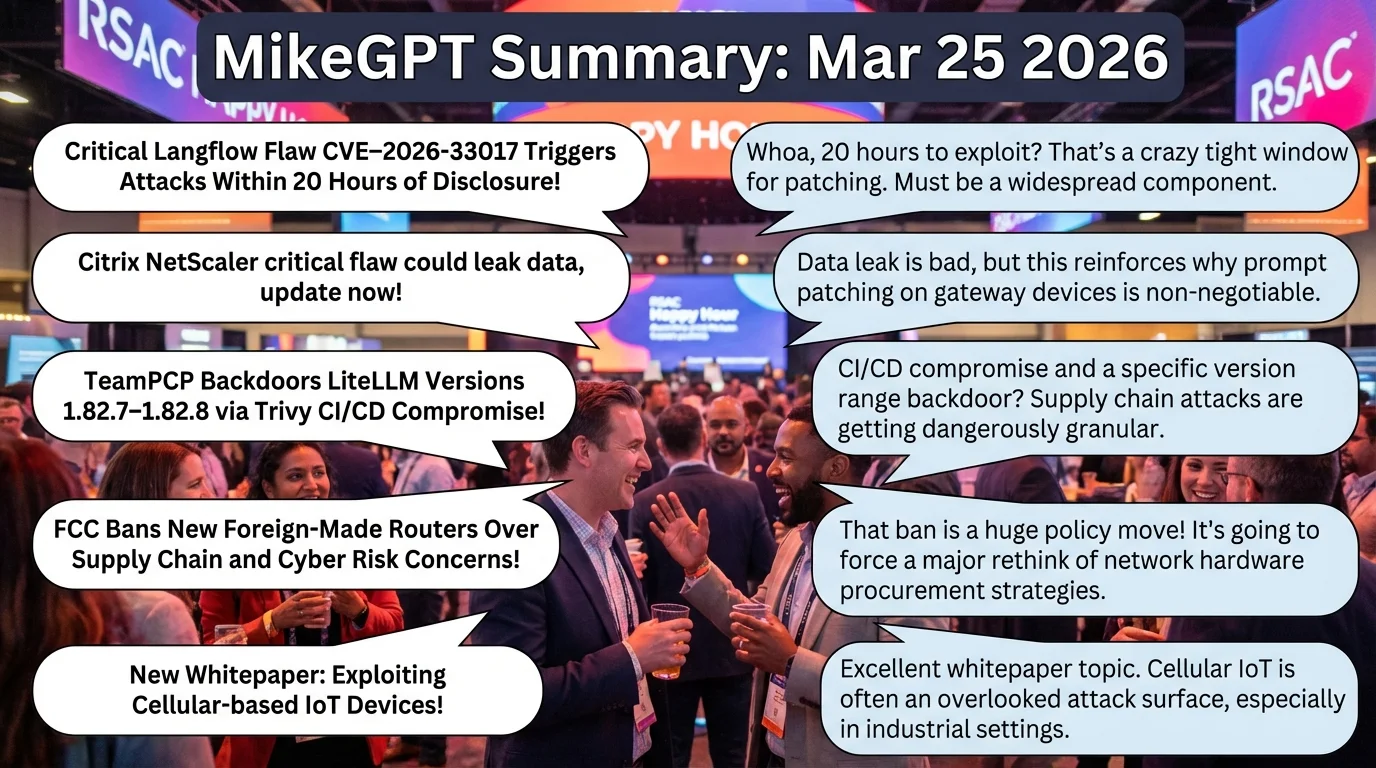
Wednesday, March 25, 2026

MikeGPT CyberSecurity

“Playbook for the Secure Enterprise”

MikeGPT Daily Threat Rundown

Heroes, your curated look at the current cybersecurity landscape for March 25, 2026.

Critical Threats

Critical Langflow Flaw CVE-2026-33017 Triggers Attacks Within 20 Hours of Disclosure

    A severe vulnerability in the popular open-source AI workflow platform, Langflow, is being actively exploited just hours after its public disclosure. The flaw allows attackers to execute unauthorized code within enterprise AI pipelines.

    Business Impact

    Compromise of this system could allow attackers to manipulate AI agents, steal proprietary algorithms, and access connected backend databases, resulting in intellectual property loss and significant reputational damage.

    Recommended Action

    Ask your IT team: Are our developers using Langflow for AI projects, and if so, has the emergency patch been applied to all instances?

    CVE-2026-33017 General Enterprise AboutDFIR ↗
Citrix NetScaler critical flaw could leak data, update now

    Citrix has issued an urgent warning regarding a critical vulnerability in NetScaler devices that allows attackers to extract sensitive data from internal memory. This flaw exposes session tokens and credentials, potentially handing over network access to unauthorized actors.

    Business Impact

    If exploited, attackers could bypass authentication to access corporate networks, leading to massive data theft, immediate operational downtime, and severe regulatory penalties under data protection laws.

    Recommended Action

    Ask your IT team: Have we identified all internet-facing NetScaler instances, and are they updated to the latest patched version to prevent memory leakage?

    CVE-2026-3055 General Enterprise Security Affairs ↗

High Severity

Threat actors have successfully compromised the supply chain of "litellm," a popular Python package used in AI development, injecting a persistent backdoor and credential harvester. This malicious code is distributed automatically to developers downloading the affected versions.

Business Impact

Installation of this compromised package grants attackers direct access to corporate development environments and cloud infrastructure, leading to source code theft, cloud resource hijacking, and potential downstream compromise of customers.

Recommended Action

Ask your IT team: Have we audited our software development environments to ensure the malicious litellm package versions 1.82.7 and 1.82.8 are completely removed?

General Enterprise The Hacker News ↗
FCC Bans New Foreign-Made Routers Over Supply Chain and Cyber Risk Concerns

    The U.S. Federal Communications Commission has banned the import of new consumer routers manufactured by specific foreign entities due to national security risks. The government assesses that these devices contain unacceptable vulnerabilities or backdoors.

    Business Impact

    Continued procurement or use of these banned devices could result in regulatory fines, loss of government contracts, and increased exposure to state-sponsored corporate espionage.

    Recommended Action

    Ask your IT team: Are we compliant with the new FCC ban regarding our remote workers' networking equipment and corporate branch offices?

    General Enterprise The Hacker News ↗

A new research paper details how attackers with physical access to cellular-based IoT devices can weaponize them against enterprise networks. The research highlights critical gaps in physical security and cellular network segmentation.

General Enterprise Rapid7 ↗
Journalist Security Checklist: Preparing Devices for Travel Through a US Border

    The EFF has released an updated security checklist for journalists traveling across U.S. borders to protect sensitive data from unwarranted searches. The guide emphasizes device encryption, minimal data retention, and secure cloud backups.

Other Noteworthy

A new research paper details how attackers with physical access to cellular-based IoT devices can weaponize them against enterprise networks. The research highlights critical gaps in physical security and cellular network segmentation.

General Enterprise Rapid7 ↗
Journalist Security Checklist: Preparing Devices for Travel Through a US Border

    The EFF has released an updated security checklist for journalists traveling across U.S. borders to protect sensitive data from unwarranted searches. The guide emphasizes device encryption, minimal data retention, and secure cloud backups.

Executive Briefing

Governing AI agent behavior: Aligning user, developer, role, and organizational intent

As AI agents increasingly perform autonomous tasks, Microsoft emphasizes the critical need for strict governance frameworks. Organizations must ensure AI operations remain within defined boundaries to prevent unintended actions or data exposure.

Microsoft · 5:00 PM ·
CSA and Aembit Survey: 68% of Organizations Can’t Distinguish AI Agent Actions from Human Activity

A new Cloud Security Alliance report reveals a massive visibility gap in enterprise environments regarding AI agents. The inability to distinguish machine actions from human activity severely hampers incident response and access governance.

Security Boulevard · 2:07 PM ·

Vendor Spotlight

Vendor

CyCognito (Specialized Vendor)

Specialization: External Attack Surface Management (EASM)

Why CyCognito Today: CyCognito's External Attack Surface Management (EASM) platform is highly relevant for discovering internet-facing assets that might be vulnerable to today's critical threats, such as the Citrix NetScaler flaw (CVE-2026-3055) or the Langflow vulnerability. By continuously mapping and testing the external attack surface, it helps organizations identify shadow IT and unpatched systems before attackers can exploit them.

Key Capability: Automated discovery and continuous security testing of internet-facing assets to identify exploitable vulnerabilities.

Recommended Actions:
1. Navigate to CyCognito Console → Issues → Search/Filter Bar
2. Navigate to CyCognito Console → Assets → Web Applications → Filter by 'Technology'
3. Navigate to CyCognito Console → Issues → [Select specific critical issue] → Remediation Tab → 'Create Ticket'

Verification Steps:
- Monitor the 'Issues' dashboard for the specific CVEs after the IT team reports the patch has been applied, or manually trigger a 'Re-test' on the affected asset.
- Review the 'Assets' inventory to verify that previously exposed management interfaces (e.g., NetScaler login portals) have been restricted.

Learn More About CyCognito ↗

Detection & Response

Detection & Response Kit (4 items)

⚠️ Disclaimer: Test all detection logic in non-production environments before deployment.

1. Vendor Platform Configuration - CyCognito

# Actionable Guidance for CyCognito # Generated: 2026-03-25 11:01:14 # Step 1: Navigate to CyCognito Console → Issues → Search/Filter Bar # Purpose: Identify known vulnerable assets by querying specific CVEs (e.g., CVE-2026-3055) or issue types related to Citrix NetScaler and Langflow. # Expected: A prioritized list of confirmed vulnerable internet-facing assets, complete with exploitability evidence, severity scoring, and organizational context. # Step 2: Navigate to CyCognito Console → Assets → Web Applications → Filter by 'Technology' # Purpose: Discover shadow IT or unmanaged instances of Citrix NetScaler or Langflow that may not yet be flagged with a specific CVE but represent an attack surface risk. # Expected: A comprehensive inventory of all external-facing instances of the target software, revealing previously unknown or unmonitored deployments. # Step 3: Navigate to CyCognito Console → Issues → [Select specific critical issue] → Remediation Tab → 'Create Ticket' # Purpose: Accelerate the patching process by pushing actionable intelligence directly to IT/SecOps workflows. # Expected: Automated generation of a Jira or ServiceNow ticket containing asset details, proof of vulnerability, and specific remediation guidance for the affected system. # Verification Steps: # - Monitor the 'Issues' dashboard for the specific CVEs after the IT team reports the patch has been applied, or manually trigger a 'Re-test' on the affected asset. # Expected: The issue status automatically transitions from 'Open' to 'Resolved', confirming the vulnerability is no longer exploitable from the external attack surface. # - Review the 'Assets' inventory to verify that previously exposed management interfaces (e.g., NetScaler login portals) have been restricted. # Expected: The asset is either no longer listed as active, or the specific open ports/web applications associated with the management interface are marked as unreachable.

2. YARA Rule for Citrix NetScaler & IDrive Exploitation Artifacts

rule Threat_Rundown_Daily_Indicators { meta: description = "Detects artifacts related to Citrix NetScaler exploitation and IDrive privilege escalation" author = "Threat Rundown" date = "2026-03-25" reference = "https://securityaffairs.com/?p=189908" severity = "high" tlp = "white" strings: $s1 = "CitrixBleed" ascii wide nocase $s2 = "StoatWaffle" ascii wide nocase $s3 = "id_service.exe" ascii wide nocase $h1 = { 4D 5A 90 00 03 00 00 00 } // Standard MZ header for executables condition: (any of ($s*)) and $h1 }

3. SIEM Query — IDrive Privilege Escalation Detection

index=security sourcetype="WinEventLog:Security" EventCode=4688 process_name="*\\id_service.exe" | eval risk_score=case( Account_Name="SYSTEM", 100, Account_Name!="SYSTEM", 50, 1==1, 25) | where risk_score >= 50 | stats count min(_time) as firstTime max(_time) as lastTime by Computer, Account_Name, process_name, CommandLine, risk_score | convert ctime(firstTime) ctime(lastTime) | sort -risk_score

4. PowerShell Script — IDrive Vulnerability Scanner

$computers = "localhost" foreach ($computer in $computers) { if (Test-Connection -ComputerName $computer -Count 1 -Quiet) { Write-Host "Checking $computer for vulnerable IDrive installations..." $process = Get-Process -Name "id_service" -ComputerName $computer -ErrorAction SilentlyContinue if ($process) { Write-Host "[!] WARNING: id_service.exe is running on $computer. Potential privilege escalation risk." -ForegroundColor Red # Check file version if possible $filePath = (Get-WmiObject Win32_Process -Filter "Name='id_service.exe'").ExecutablePath if ($filePath) { $version = (Get-Item $filePath).VersionInfo.FileVersion Write-Host " Detected Version: $version" -ForegroundColor Yellow } } else { Write-Host "[+] id_service.exe not found running on $computer." -ForegroundColor Green } } }

This rundown should provide a solid overview of the current threat landscape. Thank you to all our cyberheroes for your diligence and hard work. Stay vigilant!