[copy]
{
"type": "bundle",
"id": "bundle--a03b67ae-7952-4fc8-bfa5-f7c9317ffb71",
"objects": [
{
"type": "marking-definition",
"spec_version": "2.1",
"id": "marking-definition--94868c89-83c2-464b-929b-a1a8aa3c8487",
"created": "2022-10-01T00:00:00.000Z",
"definition_type": "tlp:2.0",
"name": "TLP:CLEAR",
"definition": {
"tlp": "clear"
}
},
{
"type": "identity",
"spec_version": "2.1",
"id": "identity--ec3244ef-ccfe-4288-8e75-d0ad49541702",
"created": "2026-01-26T16:22:18.230Z",
"modified": "2026-01-26T16:22:18.230Z",
"name": "MikeGPT Intelligence Platform",
"description": "AI-powered threat intelligence collection and analysis platform providing automated cybersecurity intelligence feeds",
"identity_class": "organization",
"sectors": [
"technology",
"defense"
],
"contact_information": "Website: https://mikegptai.com | Email: intel@mikegptai.com",
"object_marking_refs": [
"marking-definition--94868c89-83c2-464b-929b-a1a8aa3c8487"
]
},
{
"type": "report",
"spec_version": "2.1",
"id": "report--3a9e40a8-c6d3-4a82-83f9-b07072cd2d51",
"created": "2026-01-26T16:22:18.230Z",
"modified": "2026-01-26T16:22:18.230Z",
"name": "Threat Intelligence Report - 2026-01-26",
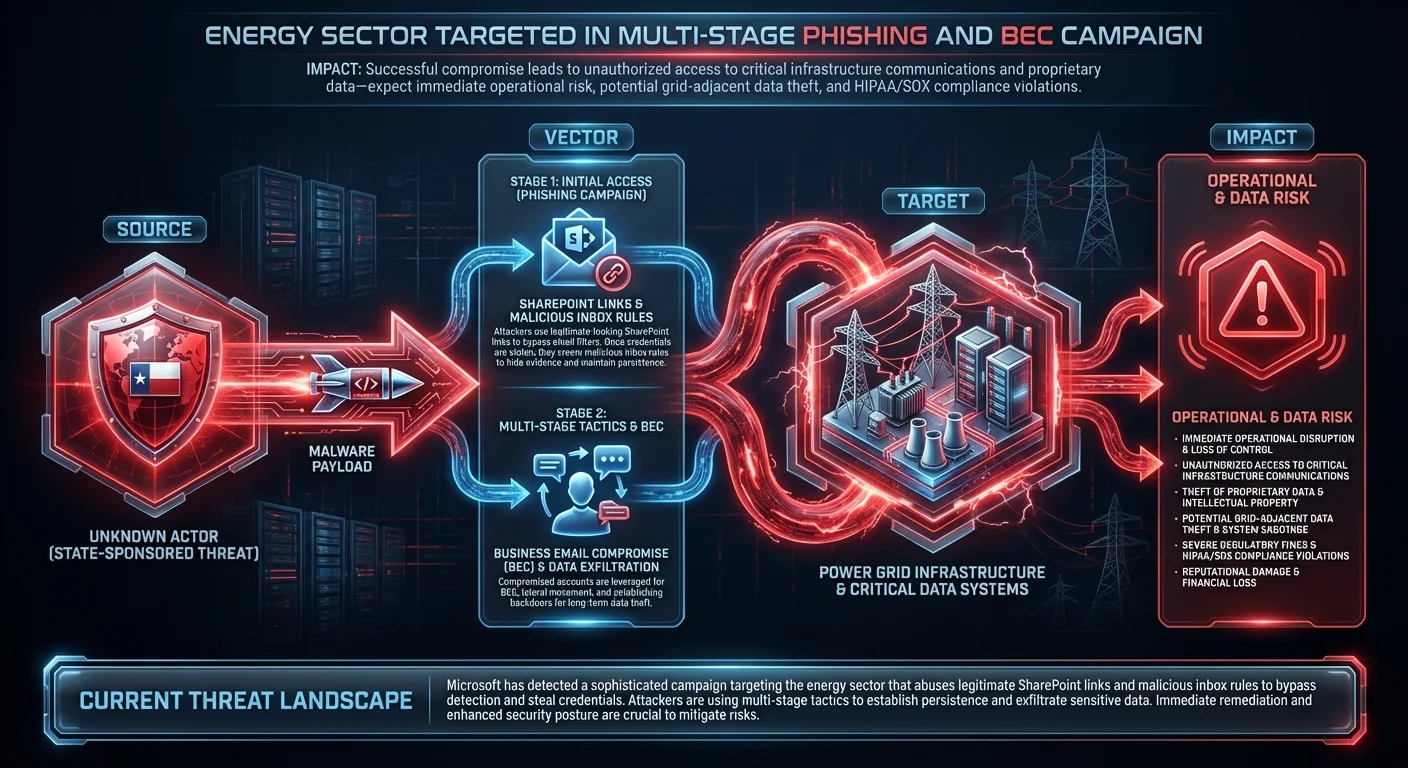
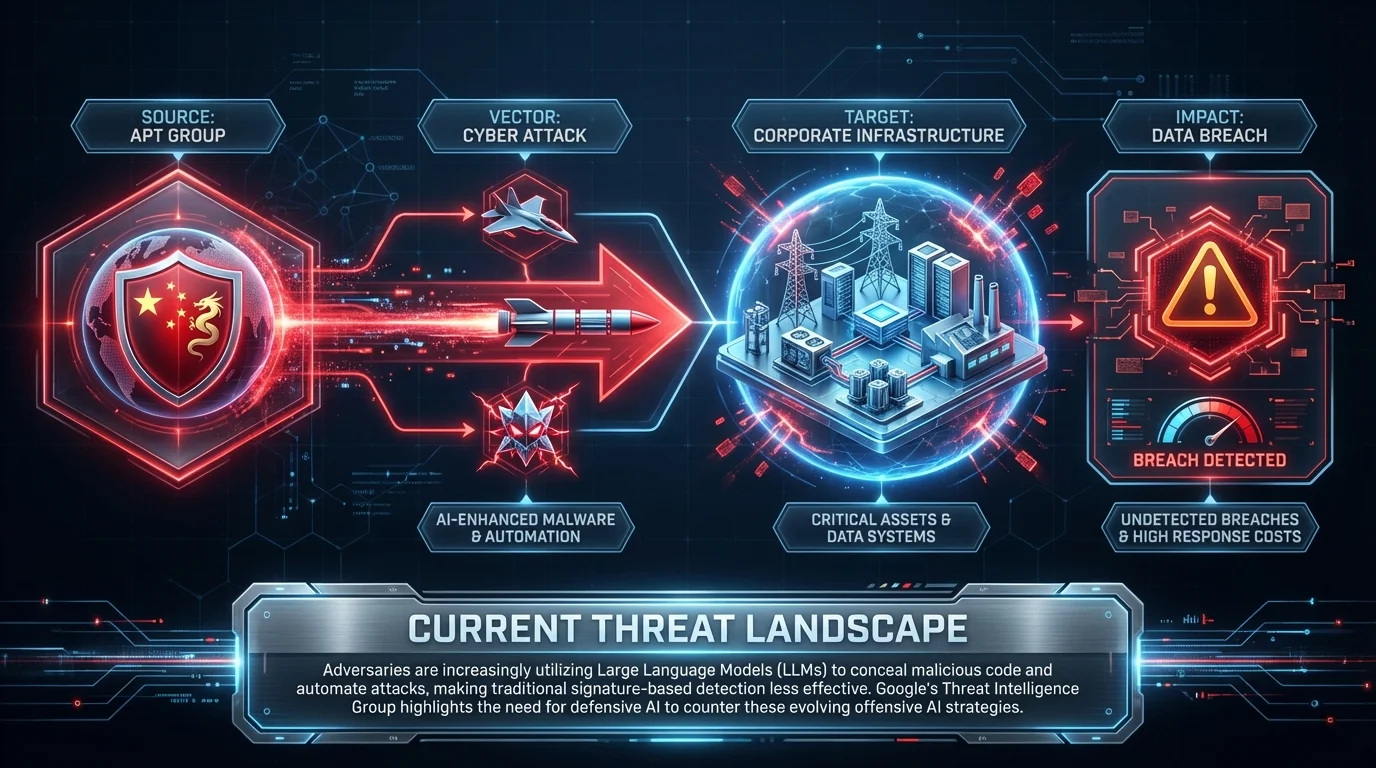
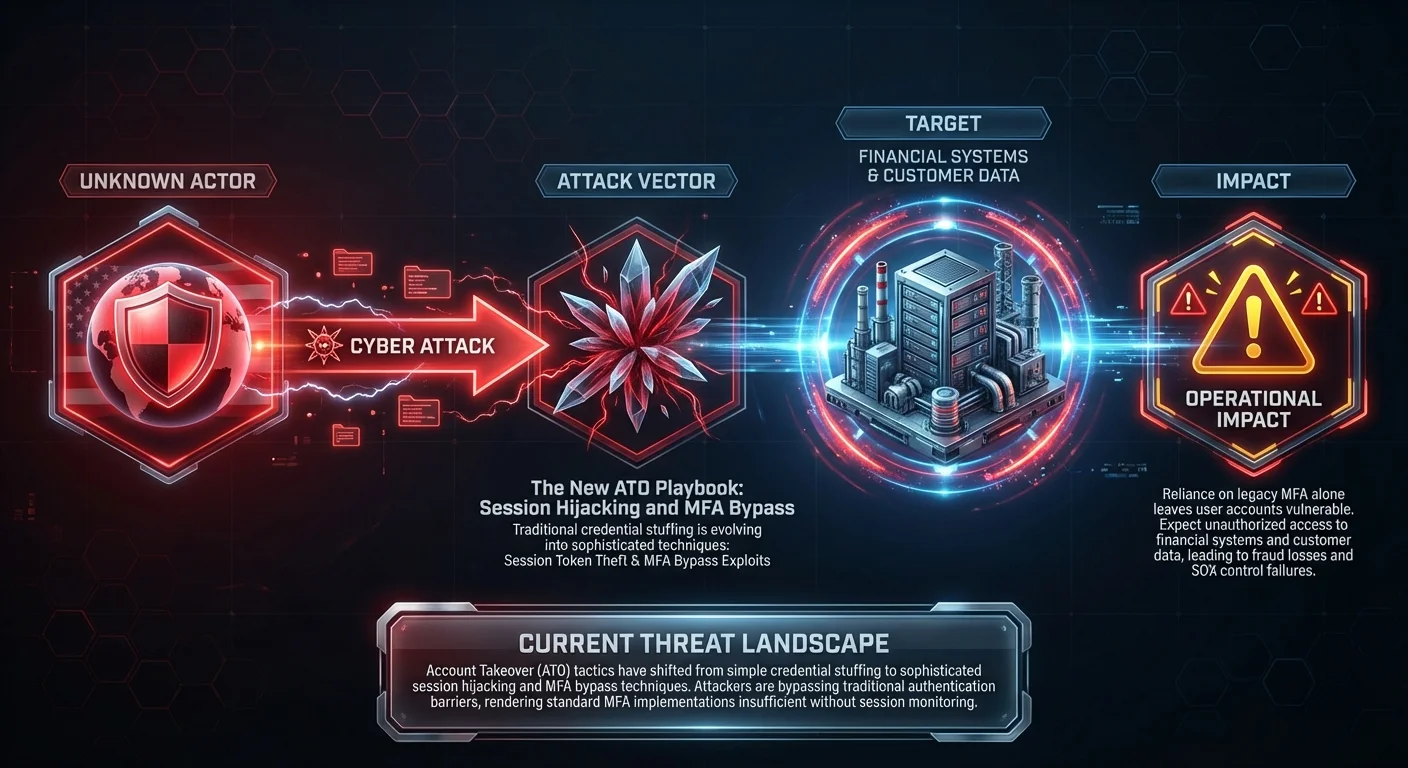
"description": "Threat Intelligence Report - 2026-01-26\n\nThis report consolidates actionable cybersecurity intelligence from 62 sources, processed through automated threat analysis and relationship extraction.\n\nKEY FINDINGS:\n• Energy sector targeted in multi-stage phishing and BEC campaign using SharePoint (Score: 100)\n• Winning Against AI-Based Attacks Requires a Combined Defensive Approach (Score: 100)\n• The New ATO Playbook: Session Hijacking, MFA Bypass, and Credential Abuse Trends for 2026 (Score: 100)\n• ⚡ Weekly Recap: Firewall Flaws, AI-Built Malware, Browser Traps, Critical CVEs & More (Score: 95.8)\n• Show HN: Root – Privacy-preserving home security camera (Score: 94.3)\n\nEXTRACTED ENTITIES:\n• 21 Attack Pattern(s)\n• 1 Marking Definition(s)\n• 42 Relationship(s)\n• 2 Threat Actor(s)\n• 4 Tool(s)\n• 1 Vulnerability(s)\n\nCONFIDENCE ASSESSMENT:\nVariable confidence scoring applied based on entity type and intelligence source reliability. Confidence ranges from 30-95% reflecting professional intelligence assessment practices.\n\nGENERATION METADATA:\n- Processing Time: Automated\n- Validation: Three-LLM consensus committee\n- Standards Compliance: STIX 2.1\n",
"published": "2026-01-26T16:22:18.230Z",
"object_refs": [
"identity--ec3244ef-ccfe-4288-8e75-d0ad49541702",
"vulnerability--ab1c321e-6ba4-432b-b9c7-b01cf59aaeff",
"identity--ae4d5f46-29c5-40ae-842b-378abf057c12",
"tool--48ef1d82-6a65-41c2-aeae-4be01aae27eb",
"identity--8a7ca088-fae7-4645-8f55-5f28dd9b1396",
"tool--e4a80ced-ad61-47b4-ba91-262409305222",
"tool--7489afc6-755c-4067-aaad-74532cb464a7",
"identity--07dd5d75-d729-42f5-94c7-e613e9d6777e",
"threat-actor--25cc5aaa-560d-4b1e-bca8-e7e432452b1a",
"tool--d70998e0-4931-4b17-9c81-33f86d39b67d",
"identity--5628e46e-1b6e-44ea-b638-9a413eed25cb",
"threat-actor--fd2fa969-c3f2-4a95-b56e-990909e3287b",
"identity--0ff9e0d4-4fae-43d8-8904-7087c19ebc16",
"identity--27eb012b-7cd9-4ce6-909c-8f5f1755252e",
"attack-pattern--2da268b5-7100-4dbc-b23b-d5deafdf268c",
"attack-pattern--baad7d00-8591-4c49-8f48-fabb6a35df65",
"attack-pattern--c627c29c-1385-4d76-9046-9c2db86dab11",
"attack-pattern--01df90e4-619d-4268-90c9-6e2aa84079d9",
"attack-pattern--ce39e6f2-b20f-421e-83e1-242a773e1927",
"attack-pattern--280ebd89-59bc-4ae2-a9db-1c01a56e50dc",
"attack-pattern--e5974f70-5745-450a-908a-6483ad9c4678",
"attack-pattern--771ed4e5-6dde-43a8-9c72-d006b0c83e3d",
"attack-pattern--c3286059-b33e-4b64-9fda-22075baf9afa",
"attack-pattern--4a2578d4-fdf6-48d3-b66a-93c681e1e21e",
"attack-pattern--68a5c7b8-09b4-49b1-8149-bc23ed0260c9",
"attack-pattern--13fc9cbe-9444-4eba-872b-a44565ae3ab7",
"attack-pattern--88428b3c-f02f-45b8-a38a-0541b2287509",
"attack-pattern--0ec57ff0-0257-4287-888c-8f20c7e08c6b",
"attack-pattern--d2a77ce3-d278-4f77-97f0-227b744a33d3",
"attack-pattern--a6ff86fe-f269-42e5-9428-ab17d04e30e2",
"attack-pattern--e8d516a9-a107-4c4b-806f-bc9c612eef18",
"attack-pattern--27b36b6d-ae90-4767-b07a-563ecef589ea",
"attack-pattern--ed3369e1-8515-458a-99e3-cb9283fb73d1",
"attack-pattern--5cf0f3fb-3459-4a3d-ad3c-4700efcfecd8",
"attack-pattern--13858fa8-76fd-4f70-98a0-14cac20519c7",
"relationship--4127873e-1845-4de4-90ca-9e57165199e1",
"relationship--9826a937-ab7a-482c-9cf0-db100de16360",
"relationship--ff774fc2-c576-4d12-9d3d-04b6b060be4c",
"relationship--477e312a-d809-4680-a862-79c7cef58ff6",
"relationship--144bf628-11e5-4814-a167-12cec17a70ae",
"relationship--b20ef0bc-ab87-41a6-8fb3-cc8e2debeabb",
"relationship--077c21a0-20bb-4f3a-a7ba-f502a310f8a6",
"relationship--5c407215-d624-40a5-8c41-b20dc2764669",
"relationship--df187092-0ac6-4c57-9079-22737d3376a4",
"relationship--5ea5021a-921a-4385-a5ea-588b3c1abef8",
"relationship--1d113a19-c414-479e-b969-3e905b0b1925",
"relationship--c0250326-57c9-4bdb-ad61-ff3025d3fa4d",
"relationship--538428b9-c5d2-4873-9303-49a25c9da598",
"relationship--e38b8cfe-9bfb-4d96-b533-d693ba7ad0e9",
"relationship--89540f5f-7175-428a-bc7b-2280645f7dd8",
"relationship--f96e4d3b-3ba2-4fad-b7fb-025fa50b6b4a",
"relationship--5c6c48ed-634e-4e29-b19f-e5e558e065a2",
"relationship--eb5c55d9-5505-469c-9339-481326ade4c9",
"relationship--42eb086c-8ccc-44cc-910d-665b3a73a2da",
"relationship--63619a2b-ac09-4f77-a760-28370f5fadf8",
"relationship--daf24495-5fbe-4942-ac9c-b57a93e2560d",
"relationship--5bf6cf4f-952e-42f8-83de-7f15ebaaf721",
"relationship--5fc85b11-91a3-4d25-b1f4-8c0169f48acd",
"relationship--3a54a4f2-af08-4f60-b16a-a012f2059910",
"relationship--444659e6-2058-49ef-8d2d-69b811acc90e",
"relationship--885975e8-e702-4e49-a690-03a4ee95eb1b",
"relationship--65d2fcc9-e3bf-4ee3-91b9-65e8903ec694",
"relationship--29cd4eac-8341-4109-91b2-3e39d717b696",
"relationship--7020252d-c2e5-4b80-9195-ebe72f144113",
"relationship--31928c49-8c2f-4f79-b3fa-db0e8991de2a",
"relationship--1a9ccd01-a203-4258-a05a-b81f7c0c8035",
"relationship--ef8e16de-be17-404e-bfc8-588275302667",
"relationship--f0904512-8eab-4889-b23f-676e6f69d859",
"relationship--a31a6ed1-35bf-42a8-9aab-5022e87bcf3d",
"relationship--5247219c-7728-431c-b2e0-bd6dc047d63c",
"relationship--77011075-c5ba-4db2-b1d6-2c88d99f59b2",
"relationship--57cc90d7-1ee8-40a4-a035-79fad34077df",
"relationship--3f5c728e-1a38-4c3a-874e-265334384934",
"relationship--efad1256-0ded-448e-a55b-187f603dc66f",
"relationship--fa2ec741-909e-4dd0-85ef-ca38d51c2fcf",
"relationship--c2eb1628-487a-4bc2-9f1c-8b4a90318ec8",
"relationship--d51b9236-c3b2-47e2-85d2-00a24c53ccc7"
],
"labels": [
"threat-report",
"threat-intelligence"
],
"created_by_ref": "identity--ec3244ef-ccfe-4288-8e75-d0ad49541702",
"object_marking_refs": [
"marking-definition--94868c89-83c2-464b-929b-a1a8aa3c8487"
]
},
{
"spec_version": "2.1",
"created": "2026-01-26T16:22:18.224Z",
"modified": "2026-01-26T16:22:18.224Z",
"confidence": 95,
"type": "vulnerability",
"id": "vulnerability--ab1c321e-6ba4-432b-b9c7-b01cf59aaeff",
"name": "CVE-2026-20045",
"description": "A vulnerability in Cisco Unified Communications Manager (Unified CM), Cisco Unified Communications Manager Session Management Edition (Unified CM SME), Cisco Unified Communications Manager IM & Presence Service (Unified CM IM&P), Cisco Unity Connection, and Cisco Webex Calling Dedicated Instance could allow an unauthenticated, remote attacker to execute arbitrary commands on the underlying operating system of an affected device. \r\n\r\nThis vulnerability is due to improper validat. CVSS Score: 8.2 (HIGH). CISA KEV: Active exploitation confirmed. EPSS: 0.7% exploitation probability",
"x_cvss_score": 8.2,
"x_cvss_severity": "HIGH",
"x_kev_status": true,
"x_epss_score": 0.00681,
"external_references": [
{
"source_name": "cve",
"external_id": "CVE-2026-20045",
"url": "https://cve.mitre.org/cgi-bin/cvename.cgi?name=CVE-2026-20045"
},
{
"source_name": "nvd",
"external_id": "CVE-2026-20045",
"url": "https://nvd.nist.gov/vuln/detail/CVE-2026-20045"
}
],
"object_marking_refs": [
"marking-definition--94868c89-83c2-464b-929b-a1a8aa3c8487"
],
"labels": [
"vulnerability"
]
},
{
"spec_version": "2.1",
"created": "2026-01-26T16:22:18.226Z",
"modified": "2026-01-26T16:22:18.226Z",
"confidence": 95,
"type": "identity",
"id": "identity--ae4d5f46-29c5-40ae-842b-378abf057c12",
"name": "Microsoft",
"identity_class": "organization",
"labels": [
"identity"
],
"description": "Microsoft is a technology company",
"object_marking_refs": [
"marking-definition--94868c89-83c2-464b-929b-a1a8aa3c8487"
]
},
{
"spec_version": "2.1",
"created": "2026-01-26T16:22:18.226Z",
"modified": "2026-01-26T16:22:18.226Z",
"confidence": 95,
"type": "tool",
"id": "tool--48ef1d82-6a65-41c2-aeae-4be01aae27eb",
"name": "SharePoint",
"tool_types": [
"unknown"
],
"labels": [
"tool"
],
"description": "A web-based collaborative platform developed by Microsoft.",
"object_marking_refs": [
"marking-definition--94868c89-83c2-464b-929b-a1a8aa3c8487"
]
},
{
"spec_version": "2.1",
"created": "2026-01-26T16:22:18.226Z",
"modified": "2026-01-26T16:22:18.226Z",
"confidence": 95,
"type": "identity",
"id": "identity--8a7ca088-fae7-4645-8f55-5f28dd9b1396",
"name": "Google",
"identity_class": "organization",
"labels": [
"identity"
],
"description": "Google is a technology company",
"object_marking_refs": [
"marking-definition--94868c89-83c2-464b-929b-a1a8aa3c8487"
]
},
{
"spec_version": "2.1",
"created": "2026-01-26T16:22:18.226Z",
"modified": "2026-01-26T16:22:18.226Z",
"confidence": 95,
"type": "tool",
"id": "tool--e4a80ced-ad61-47b4-ba91-262409305222",
"name": "Large Language Models",
"tool_types": [
"unknown"
],
"labels": [
"tool"
],
"description": "Large Language Models are AI models",
"object_marking_refs": [
"marking-definition--94868c89-83c2-464b-929b-a1a8aa3c8487"
]
},
{
"spec_version": "2.1",
"created": "2026-01-26T16:22:18.226Z",
"modified": "2026-01-26T16:22:18.226Z",
"confidence": 95,
"type": "tool",
"id": "tool--7489afc6-755c-4067-aaad-74532cb464a7",
"name": "Google Nest",
"tool_types": [
"unknown"
],
"labels": [
"tool"
],
"description": "A smart home device for security and automation.",
"object_marking_refs": [
"marking-definition--94868c89-83c2-464b-929b-a1a8aa3c8487"
]
},
{
"spec_version": "2.1",
"created": "2026-01-26T16:22:18.226Z",
"modified": "2026-01-26T16:22:18.226Z",
"confidence": 95,
"type": "identity",
"id": "identity--07dd5d75-d729-42f5-94c7-e613e9d6777e",
"name": "North Korea",
"identity_class": "unknown",
"labels": [
"identity"
],
"description": "North Korea is a country",
"object_marking_refs": [
"marking-definition--94868c89-83c2-464b-929b-a1a8aa3c8487"
]
},
{
"spec_version": "2.1",
"created": "2026-01-26T16:22:18.227Z",
"modified": "2026-01-26T16:22:18.227Z",
"confidence": 95,
"type": "threat-actor",
"id": "threat-actor--25cc5aaa-560d-4b1e-bca8-e7e432452b1a",
"name": "KONNI",
"threat_actor_types": [
"hacker"
],
"labels": [
"threat-actor"
],
"description": "KONNI is a threat actor group",
"object_marking_refs": [
"marking-definition--94868c89-83c2-464b-929b-a1a8aa3c8487"
]
},
{
"spec_version": "2.1",
"created": "2026-01-26T16:22:18.227Z",
"modified": "2026-01-26T16:22:18.227Z",
"confidence": 95,
"type": "tool",
"id": "tool--d70998e0-4931-4b17-9c81-33f86d39b67d",
"name": "PowerShell",
"tool_types": [
"unknown"
],
"labels": [
"tool"
],
"description": "PowerShell is a scripting language",
"object_marking_refs": [
"marking-definition--94868c89-83c2-464b-929b-a1a8aa3c8487"
]
},
{
"spec_version": "2.1",
"created": "2026-01-26T16:22:18.227Z",
"modified": "2026-01-26T16:22:18.227Z",
"confidence": 95,
"type": "identity",
"id": "identity--5628e46e-1b6e-44ea-b638-9a413eed25cb",
"name": "Check Point Research",
"identity_class": "organization",
"labels": [
"identity"
],
"description": "A research arm of Check Point Software Technologies focused on cybersecurity.",
"object_marking_refs": [
"marking-definition--94868c89-83c2-464b-929b-a1a8aa3c8487"
]
},
{
"spec_version": "2.1",
"created": "2026-01-26T16:22:18.227Z",
"modified": "2026-01-26T16:22:18.227Z",
"confidence": 95,
"type": "threat-actor",
"id": "threat-actor--fd2fa969-c3f2-4a95-b56e-990909e3287b",
"name": "Kimsuky",
"threat_actor_types": [
"hacker"
],
"labels": [
"threat-actor"
],
"description": "Kimsuky is a threat actor group",
"object_marking_refs": [
"marking-definition--94868c89-83c2-464b-929b-a1a8aa3c8487"
]
},
{
"spec_version": "2.1",
"created": "2026-01-26T16:22:18.227Z",
"modified": "2026-01-26T16:22:18.227Z",
"confidence": 95,
"type": "identity",
"id": "identity--0ff9e0d4-4fae-43d8-8904-7087c19ebc16",
"name": "Alex Pretti",
"identity_class": "unknown",
"labels": [
"identity"
],
"description": "Alex Pretti is an individual",
"object_marking_refs": [
"marking-definition--94868c89-83c2-464b-929b-a1a8aa3c8487"
]
},
{
"spec_version": "2.1",
"created": "2026-01-26T16:22:18.227Z",
"modified": "2026-01-26T16:22:18.227Z",
"confidence": 95,
"type": "identity",
"id": "identity--27eb012b-7cd9-4ce6-909c-8f5f1755252e",
"name": "the Minneapolis Veterans Affairs Health Care System",
"identity_class": "unknown",
"labels": [
"identity"
],
"description": "A healthcare system that may be a target for cyber attacks.",
"object_marking_refs": [
"marking-definition--94868c89-83c2-464b-929b-a1a8aa3c8487"
]
},
{
"spec_version": "2.1",
"created": "2026-01-26T16:22:18.227Z",
"modified": "2026-01-26T16:22:18.227Z",
"confidence": 90,
"type": "attack-pattern",
"id": "attack-pattern--2da268b5-7100-4dbc-b23b-d5deafdf268c",
"name": "Spearphishing Attachment",
"kill_chain_phases": [
{
"kill_chain_name": "mitre-attack",
"phase_name": "initial-access"
}
],
"x_mitre_id": "T1566.001",
"external_references": [
{
"source_name": "MITRE ATT&CK",
"url": "https://attack.mitre.org/techniques/T1566/001/",
"external_id": "T1566.001"
}
],
"object_marking_refs": [
"marking-definition--94868c89-83c2-464b-929b-a1a8aa3c8487"
],
"labels": [
"mitre-attack"
]
},
{
"spec_version": "2.1",
"created": "2026-01-26T16:22:18.227Z",
"modified": "2026-01-26T16:22:18.227Z",
"confidence": 90,
"type": "attack-pattern",
"id": "attack-pattern--baad7d00-8591-4c49-8f48-fabb6a35df65",
"name": "Spearphishing Link",
"kill_chain_phases": [
{
"kill_chain_name": "mitre-attack",
"phase_name": "initial-access"
}
],
"x_mitre_id": "T1566.002",
"external_references": [
{
"source_name": "MITRE ATT&CK",
"url": "https://attack.mitre.org/techniques/T1566/002/",
"external_id": "T1566.002"
}
],
"object_marking_refs": [
"marking-definition--94868c89-83c2-464b-929b-a1a8aa3c8487"
],
"labels": [
"mitre-attack"
]
},
{
"spec_version": "2.1",
"created": "2026-01-26T16:22:18.227Z",
"modified": "2026-01-26T16:22:18.227Z",
"confidence": 90,
"type": "attack-pattern",
"id": "attack-pattern--c627c29c-1385-4d76-9046-9c2db86dab11",
"name": "Spearphishing via Service",
"kill_chain_phases": [
{
"kill_chain_name": "mitre-attack",
"phase_name": "initial-access"
}
],
"x_mitre_id": "T1566.003",
"external_references": [
{
"source_name": "MITRE ATT&CK",
"url": "https://attack.mitre.org/techniques/T1566/003/",
"external_id": "T1566.003"
}
],
"object_marking_refs": [
"marking-definition--94868c89-83c2-464b-929b-a1a8aa3c8487"
],
"labels": [
"mitre-attack"
]
},
{
"spec_version": "2.1",
"created": "2026-01-26T16:22:18.227Z",
"modified": "2026-01-26T16:22:18.227Z",
"confidence": 90,
"type": "attack-pattern",
"id": "attack-pattern--01df90e4-619d-4268-90c9-6e2aa84079d9",
"name": "PowerShell",
"kill_chain_phases": [
{
"kill_chain_name": "mitre-attack",
"phase_name": "execution"
}
],
"x_mitre_id": "T1059.001",
"external_references": [
{
"source_name": "MITRE ATT&CK",
"url": "https://attack.mitre.org/techniques/T1059/001/",
"external_id": "T1059.001"
}
],
"object_marking_refs": [
"marking-definition--94868c89-83c2-464b-929b-a1a8aa3c8487"
],
"labels": [
"mitre-attack"
]
},
{
"spec_version": "2.1",
"created": "2026-01-26T16:22:18.227Z",
"modified": "2026-01-26T16:22:18.227Z",
"confidence": 90,
"type": "attack-pattern",
"id": "attack-pattern--ce39e6f2-b20f-421e-83e1-242a773e1927",
"name": "Create or Modify System Process",
"kill_chain_phases": [
{
"kill_chain_name": "mitre-attack",
"phase_name": "persistence"
},
{
"kill_chain_name": "mitre-attack",
"phase_name": "privilege-escalation"
}
],
"x_mitre_id": "T1543",
"external_references": [
{
"source_name": "MITRE ATT&CK",
"url": "https://attack.mitre.org/techniques/T1543/",
"external_id": "T1543"
}
],
"object_marking_refs": [
"marking-definition--94868c89-83c2-464b-929b-a1a8aa3c8487"
],
"labels": [
"mitre-attack"
]
},
{
"spec_version": "2.1",
"created": "2026-01-26T16:22:18.227Z",
"modified": "2026-01-26T16:22:18.227Z",
"confidence": 90,
"type": "attack-pattern",
"id": "attack-pattern--280ebd89-59bc-4ae2-a9db-1c01a56e50dc",
"name": "Exploit Public-Facing Application",
"kill_chain_phases": [
{
"kill_chain_name": "mitre-attack",
"phase_name": "initial-access"
}
],
"x_mitre_id": "T1190",
"external_references": [
{
"source_name": "MITRE ATT&CK",
"url": "https://attack.mitre.org/techniques/T1190/",
"external_id": "T1190"
}
],
"object_marking_refs": [
"marking-definition--94868c89-83c2-464b-929b-a1a8aa3c8487"
],
"labels": [
"mitre-attack"
]
},
{
"spec_version": "2.1",
"created": "2026-01-26T16:22:18.227Z",
"modified": "2026-01-26T16:22:18.227Z",
"confidence": 90,
"type": "attack-pattern",
"id": "attack-pattern--e5974f70-5745-450a-908a-6483ad9c4678",
"name": "Exploitation for Client Execution",
"kill_chain_phases": [
{
"kill_chain_name": "mitre-attack",
"phase_name": "execution"
}
],
"x_mitre_id": "T1203",
"external_references": [
{
"source_name": "MITRE ATT&CK",
"url": "https://attack.mitre.org/techniques/T1203/",
"external_id": "T1203"
}
],
"object_marking_refs": [
"marking-definition--94868c89-83c2-464b-929b-a1a8aa3c8487"
],
"labels": [
"mitre-attack"
]
},
{
"spec_version": "2.1",
"created": "2026-01-26T16:22:18.227Z",
"modified": "2026-01-26T16:22:18.227Z",
"confidence": 90,
"type": "attack-pattern",
"id": "attack-pattern--771ed4e5-6dde-43a8-9c72-d006b0c83e3d",
"name": "Command and Scripting Interpreter",
"kill_chain_phases": [
{
"kill_chain_name": "mitre-attack",
"phase_name": "execution"
}
],
"x_mitre_id": "T1059",
"external_references": [
{
"source_name": "MITRE ATT&CK",
"url": "https://attack.mitre.org/techniques/T1059/",
"external_id": "T1059"
}
],
"object_marking_refs": [
"marking-definition--94868c89-83c2-464b-929b-a1a8aa3c8487"
],
"labels": [
"mitre-attack"
]
},
{
"spec_version": "2.1",
"created": "2026-01-26T16:22:18.227Z",
"modified": "2026-01-26T16:22:18.227Z",
"confidence": 90,
"type": "attack-pattern",
"id": "attack-pattern--c3286059-b33e-4b64-9fda-22075baf9afa",
"name": "Ingress Tool Transfer",
"kill_chain_phases": [
{
"kill_chain_name": "mitre-attack",
"phase_name": "command-and-control"
}
],
"x_mitre_id": "T1105",
"external_references": [
{
"source_name": "MITRE ATT&CK",
"url": "https://attack.mitre.org/techniques/T1105/",
"external_id": "T1105"
}
],
"object_marking_refs": [
"marking-definition--94868c89-83c2-464b-929b-a1a8aa3c8487"
],
"labels": [
"mitre-attack"
]
},
{
"spec_version": "2.1",
"created": "2026-01-26T16:22:18.227Z",
"modified": "2026-01-26T16:22:18.227Z",
"confidence": 90,
"type": "attack-pattern",
"id": "attack-pattern--4a2578d4-fdf6-48d3-b66a-93c681e1e21e",
"name": "Application Layer Protocol",
"kill_chain_phases": [
{
"kill_chain_name": "mitre-attack",
"phase_name": "command-and-control"
}
],
"x_mitre_id": "T1071",
"external_references": [
{
"source_name": "MITRE ATT&CK",
"url": "https://attack.mitre.org/techniques/T1071/",
"external_id": "T1071"
}
],
"object_marking_refs": [
"marking-definition--94868c89-83c2-464b-929b-a1a8aa3c8487"
],
"labels": [
"mitre-attack"
]
},
{
"spec_version": "2.1",
"created": "2026-01-26T16:22:18.227Z",
"modified": "2026-01-26T16:22:18.227Z",
"confidence": 90,
"type": "attack-pattern",
"id": "attack-pattern--68a5c7b8-09b4-49b1-8149-bc23ed0260c9",
"name": "Non-Application Layer Protocol",
"kill_chain_phases": [
{
"kill_chain_name": "mitre-attack",
"phase_name": "command-and-control"
}
],
"x_mitre_id": "T1095",
"external_references": [
{
"source_name": "MITRE ATT&CK",
"url": "https://attack.mitre.org/techniques/T1095/",
"external_id": "T1095"
}
],
"object_marking_refs": [
"marking-definition--94868c89-83c2-464b-929b-a1a8aa3c8487"
],
"labels": [
"mitre-attack"
]
},
{
"spec_version": "2.1",
"created": "2026-01-26T16:22:18.227Z",
"modified": "2026-01-26T16:22:18.227Z",
"confidence": 90,
"type": "attack-pattern",
"id": "attack-pattern--13fc9cbe-9444-4eba-872b-a44565ae3ab7",
"name": "Supply Chain Compromise",
"kill_chain_phases": [
{
"kill_chain_name": "mitre-attack",
"phase_name": "initial-access"
}
],
"x_mitre_id": "T1195",
"external_references": [
{
"source_name": "MITRE ATT&CK",
"url": "https://attack.mitre.org/techniques/T1195/",
"external_id": "T1195"
}
],
"object_marking_refs": [
"marking-definition--94868c89-83c2-464b-929b-a1a8aa3c8487"
],
"labels": [
"mitre-attack"
]
},
{
"spec_version": "2.1",
"created": "2026-01-26T16:22:18.227Z",
"modified": "2026-01-26T16:22:18.227Z",
"confidence": 85,
"type": "attack-pattern",
"id": "attack-pattern--88428b3c-f02f-45b8-a38a-0541b2287509",
"name": "LSA Secrets",
"kill_chain_phases": [
{
"kill_chain_name": "mitre-attack",
"phase_name": "credential-access"
}
],
"x_mitre_id": "T1003.004",
"external_references": [
{
"source_name": "MITRE ATT&CK",
"url": "https://attack.mitre.org/techniques/T1003/004/",
"external_id": "T1003.004"
}
],
"object_marking_refs": [
"marking-definition--94868c89-83c2-464b-929b-a1a8aa3c8487"
],
"labels": [
"mitre-attack"
]
},
{
"spec_version": "2.1",
"created": "2026-01-26T16:22:18.227Z",
"modified": "2026-01-26T16:22:18.227Z",
"confidence": 85,
"type": "attack-pattern",
"id": "attack-pattern--0ec57ff0-0257-4287-888c-8f20c7e08c6b",
"name": "Cloud Secrets Management Stores",
"kill_chain_phases": [
{
"kill_chain_name": "mitre-attack",
"phase_name": "credential-access"
}
],
"x_mitre_id": "T1555.006",
"external_references": [
{
"source_name": "MITRE ATT&CK",
"url": "https://attack.mitre.org/techniques/T1555/006/",
"external_id": "T1555.006"
}
],
"object_marking_refs": [
"marking-definition--94868c89-83c2-464b-929b-a1a8aa3c8487"
],
"labels": [
"mitre-attack"
]
},
{
"spec_version": "2.1",
"created": "2026-01-26T16:22:18.228Z",
"modified": "2026-01-26T16:22:18.228Z",
"confidence": 70,
"type": "attack-pattern",
"id": "attack-pattern--d2a77ce3-d278-4f77-97f0-227b744a33d3",
"name": "Archive via Utility",
"kill_chain_phases": [
{
"kill_chain_name": "mitre-attack",
"phase_name": "collection"
}
],
"x_mitre_id": "T1560.001",
"external_references": [
{
"source_name": "MITRE ATT&CK",
"url": "https://attack.mitre.org/techniques/T1560/001/",
"external_id": "T1560.001"
}
],
"object_marking_refs": [
"marking-definition--94868c89-83c2-464b-929b-a1a8aa3c8487"
],
"labels": [
"mitre-attack"
]
},
{
"spec_version": "2.1",
"created": "2026-01-26T16:22:18.228Z",
"modified": "2026-01-26T16:22:18.228Z",
"confidence": 70,
"type": "attack-pattern",
"id": "attack-pattern--a6ff86fe-f269-42e5-9428-ab17d04e30e2",
"name": "Screen Capture",
"kill_chain_phases": [
{
"kill_chain_name": "mitre-attack",
"phase_name": "collection"
}
],
"x_mitre_id": "T1113",
"external_references": [
{
"source_name": "MITRE ATT&CK",
"url": "https://attack.mitre.org/techniques/T1113/",
"external_id": "T1113"
}
],
"object_marking_refs": [
"marking-definition--94868c89-83c2-464b-929b-a1a8aa3c8487"
],
"labels": [
"mitre-attack"
]
},
{
"spec_version": "2.1",
"created": "2026-01-26T16:22:18.228Z",
"modified": "2026-01-26T16:22:18.228Z",
"confidence": 70,
"type": "attack-pattern",
"id": "attack-pattern--e8d516a9-a107-4c4b-806f-bc9c612eef18",
"name": "Adversary-in-the-Middle",
"kill_chain_phases": [
{
"kill_chain_name": "mitre-attack",
"phase_name": "credential-access"
},
{
"kill_chain_name": "mitre-attack",
"phase_name": "collection"
}
],
"x_mitre_id": "T1557",
"external_references": [
{
"source_name": "MITRE ATT&CK",
"url": "https://attack.mitre.org/techniques/T1557/",
"external_id": "T1557"
}
],
"object_marking_refs": [
"marking-definition--94868c89-83c2-464b-929b-a1a8aa3c8487"
],
"labels": [
"mitre-attack"
]
},
{
"spec_version": "2.1",
"created": "2026-01-26T16:22:18.228Z",
"modified": "2026-01-26T16:22:18.228Z",
"confidence": 70,
"type": "attack-pattern",
"id": "attack-pattern--27b36b6d-ae90-4767-b07a-563ecef589ea",
"name": "Scheduled Task",
"kill_chain_phases": [
{
"kill_chain_name": "mitre-attack",
"phase_name": "execution"
},
{
"kill_chain_name": "mitre-attack",
"phase_name": "persistence"
},
{
"kill_chain_name": "mitre-attack",
"phase_name": "privilege-escalation"
}
],
"x_mitre_id": "T1053.005",
"external_references": [
{
"source_name": "MITRE ATT&CK",
"url": "https://attack.mitre.org/techniques/T1053/005/",
"external_id": "T1053.005"
}
],
"object_marking_refs": [
"marking-definition--94868c89-83c2-464b-929b-a1a8aa3c8487"
],
"labels": [
"mitre-attack"
]
},
{
"spec_version": "2.1",
"created": "2026-01-26T16:22:18.228Z",
"modified": "2026-01-26T16:22:18.228Z",
"confidence": 70,
"type": "attack-pattern",
"id": "attack-pattern--ed3369e1-8515-458a-99e3-cb9283fb73d1",
"name": "Socket Filters",
"kill_chain_phases": [
{
"kill_chain_name": "mitre-attack",
"phase_name": "defense-evasion"
},
{
"kill_chain_name": "mitre-attack",
"phase_name": "persistence"
},
{
"kill_chain_name": "mitre-attack",
"phase_name": "command-and-control"
}
],
"x_mitre_id": "T1205.002",
"external_references": [
{
"source_name": "MITRE ATT&CK",
"url": "https://attack.mitre.org/techniques/T1205/002/",
"external_id": "T1205.002"
}
],
"object_marking_refs": [
"marking-definition--94868c89-83c2-464b-929b-a1a8aa3c8487"
],
"labels": [
"mitre-attack"
]
},
{
"spec_version": "2.1",
"created": "2026-01-26T16:22:18.228Z",
"modified": "2026-01-26T16:22:18.228Z",
"confidence": 70,
"type": "attack-pattern",
"id": "attack-pattern--5cf0f3fb-3459-4a3d-ad3c-4700efcfecd8",
"name": "Boot or Logon Initialization Scripts",
"kill_chain_phases": [
{
"kill_chain_name": "mitre-attack",
"phase_name": "persistence"
},
{
"kill_chain_name": "mitre-attack",
"phase_name": "privilege-escalation"
}
],
"x_mitre_id": "T1037",
"external_references": [
{
"source_name": "MITRE ATT&CK",
"url": "https://attack.mitre.org/techniques/T1037/",
"external_id": "T1037"
}
],
"object_marking_refs": [
"marking-definition--94868c89-83c2-464b-929b-a1a8aa3c8487"
],
"labels": [
"mitre-attack"
]
},
{
"spec_version": "2.1",
"created": "2026-01-26T16:22:18.228Z",
"modified": "2026-01-26T16:22:18.228Z",
"confidence": 68,
"type": "attack-pattern",
"id": "attack-pattern--13858fa8-76fd-4f70-98a0-14cac20519c7",
"name": "Udev Rules",
"kill_chain_phases": [
{
"kill_chain_name": "mitre-attack",
"phase_name": "persistence"
},
{
"kill_chain_name": "mitre-attack",
"phase_name": "privilege-escalation"
}
],
"x_mitre_id": "T1546.017",
"external_references": [
{
"source_name": "MITRE ATT&CK",
"url": "https://attack.mitre.org/techniques/T1546/017/",
"external_id": "T1546.017"
}
],
"object_marking_refs": [
"marking-definition--94868c89-83c2-464b-929b-a1a8aa3c8487"
],
"labels": [
"mitre-attack"
]
},
{
"type": "relationship",
"spec_version": "2.1",
"id": "relationship--4127873e-1845-4de4-90ca-9e57165199e1",
"created": "2026-01-26T16:22:18.228Z",
"modified": "2026-01-26T16:22:18.228Z",
"relationship_type": "uses",
"source_ref": "threat-actor--25cc5aaa-560d-4b1e-bca8-e7e432452b1a",
"target_ref": "attack-pattern--2da268b5-7100-4dbc-b23b-d5deafdf268c",
"confidence": 60,
"description": "Co-occurrence: KONNI and Spearphishing Attachment (T1566.001) in same intelligence",
"x_validation_method": "mitre-cooccurrence"
},
{
"type": "relationship",
"spec_version": "2.1",
"id": "relationship--9826a937-ab7a-482c-9cf0-db100de16360",
"created": "2026-01-26T16:22:18.228Z",
"modified": "2026-01-26T16:22:18.228Z",
"relationship_type": "uses",
"source_ref": "threat-actor--25cc5aaa-560d-4b1e-bca8-e7e432452b1a",
"target_ref": "attack-pattern--baad7d00-8591-4c49-8f48-fabb6a35df65",
"confidence": 60,
"description": "Co-occurrence: KONNI and Spearphishing Link (T1566.002) in same intelligence",
"x_validation_method": "mitre-cooccurrence"
},
{
"type": "relationship",
"spec_version": "2.1",
"id": "relationship--ff774fc2-c576-4d12-9d3d-04b6b060be4c",
"created": "2026-01-26T16:22:18.228Z",
"modified": "2026-01-26T16:22:18.228Z",
"relationship_type": "uses",
"source_ref": "threat-actor--25cc5aaa-560d-4b1e-bca8-e7e432452b1a",
"target_ref": "attack-pattern--c627c29c-1385-4d76-9046-9c2db86dab11",
"confidence": 60,
"description": "Co-occurrence: KONNI and Spearphishing via Service (T1566.003) in same intelligence",
"x_validation_method": "mitre-cooccurrence"
},
{
"type": "relationship",
"spec_version": "2.1",
"id": "relationship--477e312a-d809-4680-a862-79c7cef58ff6",
"created": "2026-01-26T16:22:18.228Z",
"modified": "2026-01-26T16:22:18.228Z",
"relationship_type": "uses",
"source_ref": "threat-actor--25cc5aaa-560d-4b1e-bca8-e7e432452b1a",
"target_ref": "attack-pattern--01df90e4-619d-4268-90c9-6e2aa84079d9",
"confidence": 60,
"description": "Co-occurrence: KONNI and PowerShell (T1059.001) in same intelligence",
"x_validation_method": "mitre-cooccurrence"
},
{
"type": "relationship",
"spec_version": "2.1",
"id": "relationship--144bf628-11e5-4814-a167-12cec17a70ae",
"created": "2026-01-26T16:22:18.228Z",
"modified": "2026-01-26T16:22:18.228Z",
"relationship_type": "uses",
"source_ref": "threat-actor--25cc5aaa-560d-4b1e-bca8-e7e432452b1a",
"target_ref": "attack-pattern--ce39e6f2-b20f-421e-83e1-242a773e1927",
"confidence": 60,
"description": "Co-occurrence: KONNI and Create or Modify System Process (T1543) in same intelligence",
"x_validation_method": "mitre-cooccurrence"
},
{
"type": "relationship",
"spec_version": "2.1",
"id": "relationship--b20ef0bc-ab87-41a6-8fb3-cc8e2debeabb",
"created": "2026-01-26T16:22:18.228Z",
"modified": "2026-01-26T16:22:18.228Z",
"relationship_type": "uses",
"source_ref": "threat-actor--25cc5aaa-560d-4b1e-bca8-e7e432452b1a",
"target_ref": "attack-pattern--280ebd89-59bc-4ae2-a9db-1c01a56e50dc",
"confidence": 60,
"description": "Co-occurrence: KONNI and Exploit Public-Facing Application (T1190) in same intelligence",
"x_validation_method": "mitre-cooccurrence"
},
{
"type": "relationship",
"spec_version": "2.1",
"id": "relationship--077c21a0-20bb-4f3a-a7ba-f502a310f8a6",
"created": "2026-01-26T16:22:18.228Z",
"modified": "2026-01-26T16:22:18.228Z",
"relationship_type": "uses",
"source_ref": "threat-actor--25cc5aaa-560d-4b1e-bca8-e7e432452b1a",
"target_ref": "attack-pattern--e5974f70-5745-450a-908a-6483ad9c4678",
"confidence": 60,
"description": "Co-occurrence: KONNI and Exploitation for Client Execution (T1203) in same intelligence",
"x_validation_method": "mitre-cooccurrence"
},
{
"type": "relationship",
"spec_version": "2.1",
"id": "relationship--5c407215-d624-40a5-8c41-b20dc2764669",
"created": "2026-01-26T16:22:18.228Z",
"modified": "2026-01-26T16:22:18.228Z",
"relationship_type": "uses",
"source_ref": "threat-actor--25cc5aaa-560d-4b1e-bca8-e7e432452b1a",
"target_ref": "attack-pattern--771ed4e5-6dde-43a8-9c72-d006b0c83e3d",
"confidence": 60,
"description": "Co-occurrence: KONNI and Command and Scripting Interpreter (T1059) in same intelligence",
"x_validation_method": "mitre-cooccurrence"
},
{
"type": "relationship",
"spec_version": "2.1",
"id": "relationship--df187092-0ac6-4c57-9079-22737d3376a4",
"created": "2026-01-26T16:22:18.228Z",
"modified": "2026-01-26T16:22:18.228Z",
"relationship_type": "uses",
"source_ref": "threat-actor--25cc5aaa-560d-4b1e-bca8-e7e432452b1a",
"target_ref": "attack-pattern--c3286059-b33e-4b64-9fda-22075baf9afa",
"confidence": 60,
"description": "Co-occurrence: KONNI and Ingress Tool Transfer (T1105) in same intelligence",
"x_validation_method": "mitre-cooccurrence"
},
{
"type": "relationship",
"spec_version": "2.1",
"id": "relationship--5ea5021a-921a-4385-a5ea-588b3c1abef8",
"created": "2026-01-26T16:22:18.228Z",
"modified": "2026-01-26T16:22:18.228Z",
"relationship_type": "uses",
"source_ref": "threat-actor--25cc5aaa-560d-4b1e-bca8-e7e432452b1a",
"target_ref": "attack-pattern--4a2578d4-fdf6-48d3-b66a-93c681e1e21e",
"confidence": 60,
"description": "Co-occurrence: KONNI and Application Layer Protocol (T1071) in same intelligence",
"x_validation_method": "mitre-cooccurrence"
},
{
"type": "relationship",
"spec_version": "2.1",
"id": "relationship--1d113a19-c414-479e-b969-3e905b0b1925",
"created": "2026-01-26T16:22:18.228Z",
"modified": "2026-01-26T16:22:18.228Z",
"relationship_type": "uses",
"source_ref": "threat-actor--25cc5aaa-560d-4b1e-bca8-e7e432452b1a",
"target_ref": "attack-pattern--68a5c7b8-09b4-49b1-8149-bc23ed0260c9",
"confidence": 60,
"description": "Co-occurrence: KONNI and Non-Application Layer Protocol (T1095) in same intelligence",
"x_validation_method": "mitre-cooccurrence"
},
{
"type": "relationship",
"spec_version": "2.1",
"id": "relationship--c0250326-57c9-4bdb-ad61-ff3025d3fa4d",
"created": "2026-01-26T16:22:18.228Z",
"modified": "2026-01-26T16:22:18.228Z",
"relationship_type": "uses",
"source_ref": "threat-actor--25cc5aaa-560d-4b1e-bca8-e7e432452b1a",
"target_ref": "attack-pattern--13fc9cbe-9444-4eba-872b-a44565ae3ab7",
"confidence": 60,
"description": "Co-occurrence: KONNI and Supply Chain Compromise (T1195) in same intelligence",
"x_validation_method": "mitre-cooccurrence"
},
{
"type": "relationship",
"spec_version": "2.1",
"id": "relationship--538428b9-c5d2-4873-9303-49a25c9da598",
"created": "2026-01-26T16:22:18.228Z",
"modified": "2026-01-26T16:22:18.228Z",
"relationship_type": "uses",
"source_ref": "threat-actor--25cc5aaa-560d-4b1e-bca8-e7e432452b1a",
"target_ref": "attack-pattern--88428b3c-f02f-45b8-a38a-0541b2287509",
"confidence": 60,
"description": "Co-occurrence: KONNI and LSA Secrets (T1003.004) in same intelligence",
"x_validation_method": "mitre-cooccurrence"
},
{
"type": "relationship",
"spec_version": "2.1",
"id": "relationship--e38b8cfe-9bfb-4d96-b533-d693ba7ad0e9",
"created": "2026-01-26T16:22:18.229Z",
"modified": "2026-01-26T16:22:18.229Z",
"relationship_type": "uses",
"source_ref": "threat-actor--25cc5aaa-560d-4b1e-bca8-e7e432452b1a",
"target_ref": "attack-pattern--0ec57ff0-0257-4287-888c-8f20c7e08c6b",
"confidence": 60,
"description": "Co-occurrence: KONNI and Cloud Secrets Management Stores (T1555.006) in same intelligence",
"x_validation_method": "mitre-cooccurrence"
},
{
"type": "relationship",
"spec_version": "2.1",
"id": "relationship--89540f5f-7175-428a-bc7b-2280645f7dd8",
"created": "2026-01-26T16:22:18.229Z",
"modified": "2026-01-26T16:22:18.229Z",
"relationship_type": "uses",
"source_ref": "threat-actor--25cc5aaa-560d-4b1e-bca8-e7e432452b1a",
"target_ref": "attack-pattern--d2a77ce3-d278-4f77-97f0-227b744a33d3",
"confidence": 60,
"description": "Co-occurrence: KONNI and Archive via Utility (T1560.001) in same intelligence",
"x_validation_method": "mitre-cooccurrence"
},
{
"type": "relationship",
"spec_version": "2.1",
"id": "relationship--f96e4d3b-3ba2-4fad-b7fb-025fa50b6b4a",
"created": "2026-01-26T16:22:18.229Z",
"modified": "2026-01-26T16:22:18.229Z",
"relationship_type": "uses",
"source_ref": "threat-actor--25cc5aaa-560d-4b1e-bca8-e7e432452b1a",
"target_ref": "attack-pattern--a6ff86fe-f269-42e5-9428-ab17d04e30e2",
"confidence": 60,
"description": "Co-occurrence: KONNI and Screen Capture (T1113) in same intelligence",
"x_validation_method": "mitre-cooccurrence"
},
{
"type": "relationship",
"spec_version": "2.1",
"id": "relationship--5c6c48ed-634e-4e29-b19f-e5e558e065a2",
"created": "2026-01-26T16:22:18.229Z",
"modified": "2026-01-26T16:22:18.229Z",
"relationship_type": "uses",
"source_ref": "threat-actor--25cc5aaa-560d-4b1e-bca8-e7e432452b1a",
"target_ref": "attack-pattern--e8d516a9-a107-4c4b-806f-bc9c612eef18",
"confidence": 60,
"description": "Co-occurrence: KONNI and Adversary-in-the-Middle (T1557) in same intelligence",
"x_validation_method": "mitre-cooccurrence"
},
{
"type": "relationship",
"spec_version": "2.1",
"id": "relationship--eb5c55d9-5505-469c-9339-481326ade4c9",
"created": "2026-01-26T16:22:18.229Z",
"modified": "2026-01-26T16:22:18.229Z",
"relationship_type": "uses",
"source_ref": "threat-actor--25cc5aaa-560d-4b1e-bca8-e7e432452b1a",
"target_ref": "attack-pattern--27b36b6d-ae90-4767-b07a-563ecef589ea",
"confidence": 60,
"description": "Co-occurrence: KONNI and Scheduled Task (T1053.005) in same intelligence",
"x_validation_method": "mitre-cooccurrence"
},
{
"type": "relationship",
"spec_version": "2.1",
"id": "relationship--42eb086c-8ccc-44cc-910d-665b3a73a2da",
"created": "2026-01-26T16:22:18.229Z",
"modified": "2026-01-26T16:22:18.229Z",
"relationship_type": "uses",
"source_ref": "threat-actor--25cc5aaa-560d-4b1e-bca8-e7e432452b1a",
"target_ref": "attack-pattern--ed3369e1-8515-458a-99e3-cb9283fb73d1",
"confidence": 60,
"description": "Co-occurrence: KONNI and Socket Filters (T1205.002) in same intelligence",
"x_validation_method": "mitre-cooccurrence"
},
{
"type": "relationship",
"spec_version": "2.1",
"id": "relationship--63619a2b-ac09-4f77-a760-28370f5fadf8",
"created": "2026-01-26T16:22:18.229Z",
"modified": "2026-01-26T16:22:18.229Z",
"relationship_type": "uses",
"source_ref": "threat-actor--25cc5aaa-560d-4b1e-bca8-e7e432452b1a",
"target_ref": "attack-pattern--5cf0f3fb-3459-4a3d-ad3c-4700efcfecd8",
"confidence": 60,
"description": "Co-occurrence: KONNI and Boot or Logon Initialization Scripts (T1037) in same intelligence",
"x_validation_method": "mitre-cooccurrence"
},
{
"type": "relationship",
"spec_version": "2.1",
"id": "relationship--daf24495-5fbe-4942-ac9c-b57a93e2560d",
"created": "2026-01-26T16:22:18.229Z",
"modified": "2026-01-26T16:22:18.229Z",
"relationship_type": "uses",
"source_ref": "threat-actor--25cc5aaa-560d-4b1e-bca8-e7e432452b1a",
"target_ref": "attack-pattern--13858fa8-76fd-4f70-98a0-14cac20519c7",
"confidence": 60,
"description": "Co-occurrence: KONNI and Udev Rules (T1546.017) in same intelligence",
"x_validation_method": "mitre-cooccurrence"
},
{
"type": "relationship",
"spec_version": "2.1",
"id": "relationship--5bf6cf4f-952e-42f8-83de-7f15ebaaf721",
"created": "2026-01-26T16:22:18.229Z",
"modified": "2026-01-26T16:22:18.229Z",
"relationship_type": "uses",
"source_ref": "threat-actor--fd2fa969-c3f2-4a95-b56e-990909e3287b",
"target_ref": "attack-pattern--2da268b5-7100-4dbc-b23b-d5deafdf268c",
"confidence": 60,
"description": "Co-occurrence: Kimsuky and Spearphishing Attachment (T1566.001) in same intelligence",
"x_validation_method": "mitre-cooccurrence"
},
{
"type": "relationship",
"spec_version": "2.1",
"id": "relationship--5fc85b11-91a3-4d25-b1f4-8c0169f48acd",
"created": "2026-01-26T16:22:18.229Z",
"modified": "2026-01-26T16:22:18.229Z",
"relationship_type": "uses",
"source_ref": "threat-actor--fd2fa969-c3f2-4a95-b56e-990909e3287b",
"target_ref": "attack-pattern--baad7d00-8591-4c49-8f48-fabb6a35df65",
"confidence": 60,
"description": "Co-occurrence: Kimsuky and Spearphishing Link (T1566.002) in same intelligence",
"x_validation_method": "mitre-cooccurrence"
},
{
"type": "relationship",
"spec_version": "2.1",
"id": "relationship--3a54a4f2-af08-4f60-b16a-a012f2059910",
"created": "2026-01-26T16:22:18.229Z",
"modified": "2026-01-26T16:22:18.229Z",
"relationship_type": "uses",
"source_ref": "threat-actor--fd2fa969-c3f2-4a95-b56e-990909e3287b",
"target_ref": "attack-pattern--c627c29c-1385-4d76-9046-9c2db86dab11",
"confidence": 60,
"description": "Co-occurrence: Kimsuky and Spearphishing via Service (T1566.003) in same intelligence",
"x_validation_method": "mitre-cooccurrence"
},
{
"type": "relationship",
"spec_version": "2.1",
"id": "relationship--444659e6-2058-49ef-8d2d-69b811acc90e",
"created": "2026-01-26T16:22:18.229Z",
"modified": "2026-01-26T16:22:18.229Z",
"relationship_type": "uses",
"source_ref": "threat-actor--fd2fa969-c3f2-4a95-b56e-990909e3287b",
"target_ref": "attack-pattern--01df90e4-619d-4268-90c9-6e2aa84079d9",
"confidence": 60,
"description": "Co-occurrence: Kimsuky and PowerShell (T1059.001) in same intelligence",
"x_validation_method": "mitre-cooccurrence"
},
{
"type": "relationship",
"spec_version": "2.1",
"id": "relationship--885975e8-e702-4e49-a690-03a4ee95eb1b",
"created": "2026-01-26T16:22:18.229Z",
"modified": "2026-01-26T16:22:18.229Z",
"relationship_type": "uses",
"source_ref": "threat-actor--fd2fa969-c3f2-4a95-b56e-990909e3287b",
"target_ref": "attack-pattern--ce39e6f2-b20f-421e-83e1-242a773e1927",
"confidence": 60,
"description": "Co-occurrence: Kimsuky and Create or Modify System Process (T1543) in same intelligence",
"x_validation_method": "mitre-cooccurrence"
},
{
"type": "relationship",
"spec_version": "2.1",
"id": "relationship--65d2fcc9-e3bf-4ee3-91b9-65e8903ec694",
"created": "2026-01-26T16:22:18.229Z",
"modified": "2026-01-26T16:22:18.229Z",
"relationship_type": "uses",
"source_ref": "threat-actor--fd2fa969-c3f2-4a95-b56e-990909e3287b",
"target_ref": "attack-pattern--280ebd89-59bc-4ae2-a9db-1c01a56e50dc",
"confidence": 60,
"description": "Co-occurrence: Kimsuky and Exploit Public-Facing Application (T1190) in same intelligence",
"x_validation_method": "mitre-cooccurrence"
},
{
"type": "relationship",
"spec_version": "2.1",
"id": "relationship--29cd4eac-8341-4109-91b2-3e39d717b696",
"created": "2026-01-26T16:22:18.229Z",
"modified": "2026-01-26T16:22:18.229Z",
"relationship_type": "uses",
"source_ref": "threat-actor--fd2fa969-c3f2-4a95-b56e-990909e3287b",
"target_ref": "attack-pattern--e5974f70-5745-450a-908a-6483ad9c4678",
"confidence": 60,
"description": "Co-occurrence: Kimsuky and Exploitation for Client Execution (T1203) in same intelligence",
"x_validation_method": "mitre-cooccurrence"
},
{
"type": "relationship",
"spec_version": "2.1",
"id": "relationship--7020252d-c2e5-4b80-9195-ebe72f144113",
"created": "2026-01-26T16:22:18.229Z",
"modified": "2026-01-26T16:22:18.229Z",
"relationship_type": "uses",
"source_ref": "threat-actor--fd2fa969-c3f2-4a95-b56e-990909e3287b",
"target_ref": "attack-pattern--771ed4e5-6dde-43a8-9c72-d006b0c83e3d",
"confidence": 60,
"description": "Co-occurrence: Kimsuky and Command and Scripting Interpreter (T1059) in same intelligence",
"x_validation_method": "mitre-cooccurrence"
},
{
"type": "relationship",
"spec_version": "2.1",
"id": "relationship--31928c49-8c2f-4f79-b3fa-db0e8991de2a",
"created": "2026-01-26T16:22:18.229Z",
"modified": "2026-01-26T16:22:18.229Z",
"relationship_type": "uses",
"source_ref": "threat-actor--fd2fa969-c3f2-4a95-b56e-990909e3287b",
"target_ref": "attack-pattern--c3286059-b33e-4b64-9fda-22075baf9afa",
"confidence": 60,
"description": "Co-occurrence: Kimsuky and Ingress Tool Transfer (T1105) in same intelligence",
"x_validation_method": "mitre-cooccurrence"
},
{
"type": "relationship",
"spec_version": "2.1",
"id": "relationship--1a9ccd01-a203-4258-a05a-b81f7c0c8035",
"created": "2026-01-26T16:22:18.229Z",
"modified": "2026-01-26T16:22:18.229Z",
"relationship_type": "uses",
"source_ref": "threat-actor--fd2fa969-c3f2-4a95-b56e-990909e3287b",
"target_ref": "attack-pattern--4a2578d4-fdf6-48d3-b66a-93c681e1e21e",
"confidence": 60,
"description": "Co-occurrence: Kimsuky and Application Layer Protocol (T1071) in same intelligence",
"x_validation_method": "mitre-cooccurrence"
},
{
"type": "relationship",
"spec_version": "2.1",
"id": "relationship--ef8e16de-be17-404e-bfc8-588275302667",
"created": "2026-01-26T16:22:18.229Z",
"modified": "2026-01-26T16:22:18.229Z",
"relationship_type": "uses",
"source_ref": "threat-actor--fd2fa969-c3f2-4a95-b56e-990909e3287b",
"target_ref": "attack-pattern--68a5c7b8-09b4-49b1-8149-bc23ed0260c9",
"confidence": 60,
"description": "Co-occurrence: Kimsuky and Non-Application Layer Protocol (T1095) in same intelligence",
"x_validation_method": "mitre-cooccurrence"
},
{
"type": "relationship",
"spec_version": "2.1",
"id": "relationship--f0904512-8eab-4889-b23f-676e6f69d859",
"created": "2026-01-26T16:22:18.229Z",
"modified": "2026-01-26T16:22:18.229Z",
"relationship_type": "uses",
"source_ref": "threat-actor--fd2fa969-c3f2-4a95-b56e-990909e3287b",
"target_ref": "attack-pattern--13fc9cbe-9444-4eba-872b-a44565ae3ab7",
"confidence": 60,
"description": "Co-occurrence: Kimsuky and Supply Chain Compromise (T1195) in same intelligence",
"x_validation_method": "mitre-cooccurrence"
},
{
"type": "relationship",
"spec_version": "2.1",
"id": "relationship--a31a6ed1-35bf-42a8-9aab-5022e87bcf3d",
"created": "2026-01-26T16:22:18.229Z",
"modified": "2026-01-26T16:22:18.229Z",
"relationship_type": "uses",
"source_ref": "threat-actor--fd2fa969-c3f2-4a95-b56e-990909e3287b",
"target_ref": "attack-pattern--88428b3c-f02f-45b8-a38a-0541b2287509",
"confidence": 60,
"description": "Co-occurrence: Kimsuky and LSA Secrets (T1003.004) in same intelligence",
"x_validation_method": "mitre-cooccurrence"
},
{
"type": "relationship",
"spec_version": "2.1",
"id": "relationship--5247219c-7728-431c-b2e0-bd6dc047d63c",
"created": "2026-01-26T16:22:18.229Z",
"modified": "2026-01-26T16:22:18.229Z",
"relationship_type": "uses",
"source_ref": "threat-actor--fd2fa969-c3f2-4a95-b56e-990909e3287b",
"target_ref": "attack-pattern--0ec57ff0-0257-4287-888c-8f20c7e08c6b",
"confidence": 60,
"description": "Co-occurrence: Kimsuky and Cloud Secrets Management Stores (T1555.006) in same intelligence",
"x_validation_method": "mitre-cooccurrence"
},
{
"type": "relationship",
"spec_version": "2.1",
"id": "relationship--77011075-c5ba-4db2-b1d6-2c88d99f59b2",
"created": "2026-01-26T16:22:18.229Z",
"modified": "2026-01-26T16:22:18.229Z",
"relationship_type": "uses",
"source_ref": "threat-actor--fd2fa969-c3f2-4a95-b56e-990909e3287b",
"target_ref": "attack-pattern--d2a77ce3-d278-4f77-97f0-227b744a33d3",
"confidence": 60,
"description": "Co-occurrence: Kimsuky and Archive via Utility (T1560.001) in same intelligence",
"x_validation_method": "mitre-cooccurrence"
},
{
"type": "relationship",
"spec_version": "2.1",
"id": "relationship--57cc90d7-1ee8-40a4-a035-79fad34077df",
"created": "2026-01-26T16:22:18.229Z",
"modified": "2026-01-26T16:22:18.229Z",
"relationship_type": "uses",
"source_ref": "threat-actor--fd2fa969-c3f2-4a95-b56e-990909e3287b",
"target_ref": "attack-pattern--a6ff86fe-f269-42e5-9428-ab17d04e30e2",
"confidence": 60,
"description": "Co-occurrence: Kimsuky and Screen Capture (T1113) in same intelligence",
"x_validation_method": "mitre-cooccurrence"
},
{
"type": "relationship",
"spec_version": "2.1",
"id": "relationship--3f5c728e-1a38-4c3a-874e-265334384934",
"created": "2026-01-26T16:22:18.229Z",
"modified": "2026-01-26T16:22:18.229Z",
"relationship_type": "uses",
"source_ref": "threat-actor--fd2fa969-c3f2-4a95-b56e-990909e3287b",
"target_ref": "attack-pattern--e8d516a9-a107-4c4b-806f-bc9c612eef18",
"confidence": 60,
"description": "Co-occurrence: Kimsuky and Adversary-in-the-Middle (T1557) in same intelligence",
"x_validation_method": "mitre-cooccurrence"
},
{
"type": "relationship",
"spec_version": "2.1",
"id": "relationship--efad1256-0ded-448e-a55b-187f603dc66f",
"created": "2026-01-26T16:22:18.229Z",
"modified": "2026-01-26T16:22:18.229Z",
"relationship_type": "uses",
"source_ref": "threat-actor--fd2fa969-c3f2-4a95-b56e-990909e3287b",
"target_ref": "attack-pattern--27b36b6d-ae90-4767-b07a-563ecef589ea",
"confidence": 60,
"description": "Co-occurrence: Kimsuky and Scheduled Task (T1053.005) in same intelligence",
"x_validation_method": "mitre-cooccurrence"
},
{
"type": "relationship",
"spec_version": "2.1",
"id": "relationship--fa2ec741-909e-4dd0-85ef-ca38d51c2fcf",
"created": "2026-01-26T16:22:18.229Z",
"modified": "2026-01-26T16:22:18.229Z",
"relationship_type": "uses",
"source_ref": "threat-actor--fd2fa969-c3f2-4a95-b56e-990909e3287b",
"target_ref": "attack-pattern--ed3369e1-8515-458a-99e3-cb9283fb73d1",
"confidence": 60,
"description": "Co-occurrence: Kimsuky and Socket Filters (T1205.002) in same intelligence",
"x_validation_method": "mitre-cooccurrence"
},
{
"type": "relationship",
"spec_version": "2.1",
"id": "relationship--c2eb1628-487a-4bc2-9f1c-8b4a90318ec8",
"created": "2026-01-26T16:22:18.229Z",
"modified": "2026-01-26T16:22:18.229Z",
"relationship_type": "uses",
"source_ref": "threat-actor--fd2fa969-c3f2-4a95-b56e-990909e3287b",
"target_ref": "attack-pattern--5cf0f3fb-3459-4a3d-ad3c-4700efcfecd8",
"confidence": 60,
"description": "Co-occurrence: Kimsuky and Boot or Logon Initialization Scripts (T1037) in same intelligence",
"x_validation_method": "mitre-cooccurrence"
},
{
"type": "relationship",
"spec_version": "2.1",
"id": "relationship--d51b9236-c3b2-47e2-85d2-00a24c53ccc7",
"created": "2026-01-26T16:22:18.229Z",
"modified": "2026-01-26T16:22:18.229Z",
"relationship_type": "uses",
"source_ref": "threat-actor--fd2fa969-c3f2-4a95-b56e-990909e3287b",
"target_ref": "attack-pattern--13858fa8-76fd-4f70-98a0-14cac20519c7",
"confidence": 60,
"description": "Co-occurrence: Kimsuky and Udev Rules (T1546.017) in same intelligence",
"x_validation_method": "mitre-cooccurrence"
}
]
}